
The hidden conversion leak: untranslated images
You can translate your product titles, descriptions, checkout, and navigation perfectly. But the moment a customer sees an image with text they do not understand, the buying flow breaks.
This is especially painful for products that rely on visual proof: size charts, before/after images, feature callouts, ingredient labels, packaging shots, and promotional banners. The customer has to guess, and guessing kills trust.
- Size charts that only make sense in one language
- Product labels and packaging shots customers cannot read
- Feature images that explain benefits in the wrong language
- Promotional banners that feel made for another market
The faster fix: show the right image for each language
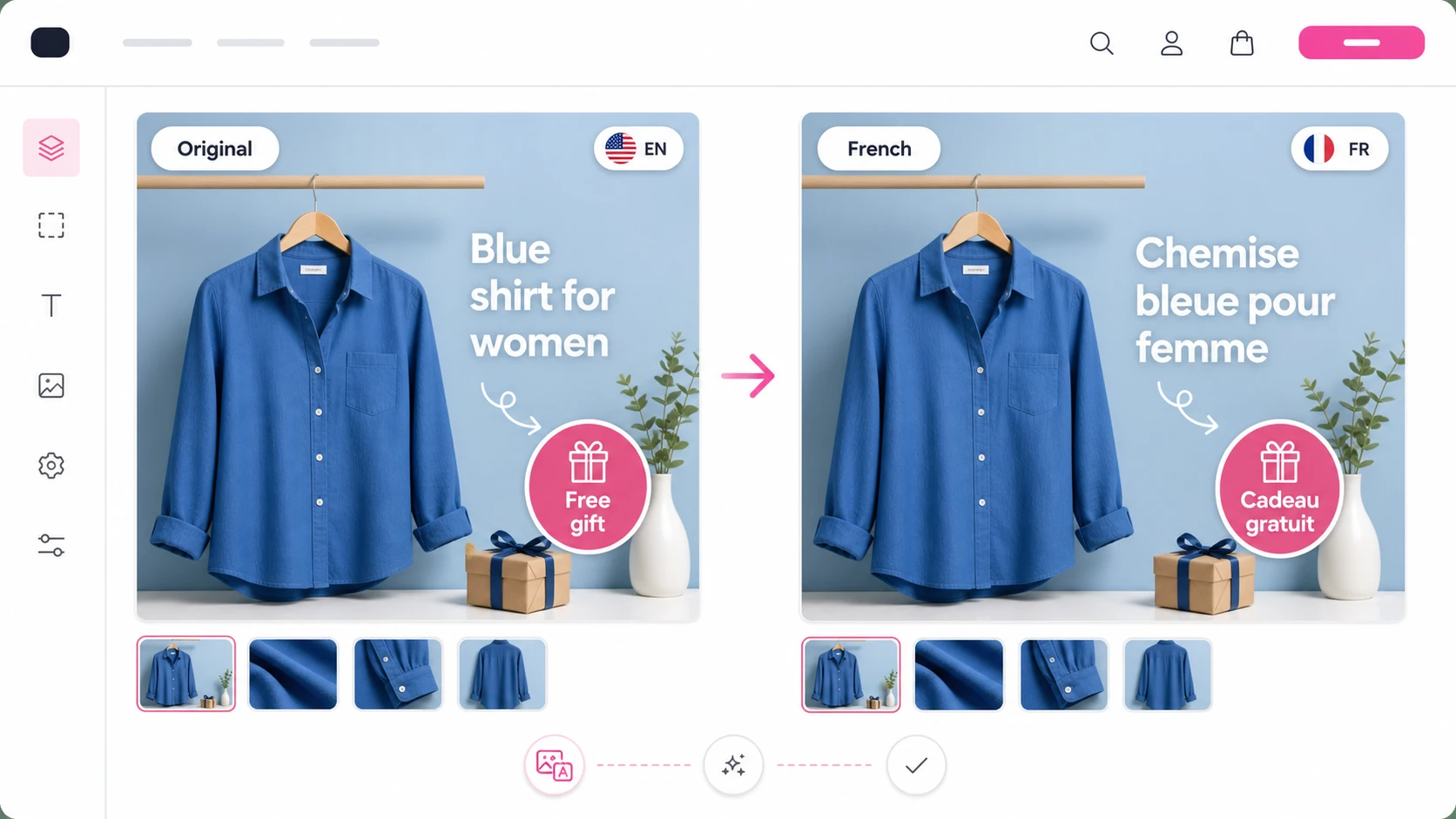
EZ Product Image Translate lets you assign localized product images and alt text to each store language. When a visitor browses in French, German, Spanish, or another language, they see the matching visual automatically.
You do not need to edit your theme, duplicate products, or manage separate storefronts. Keep one product page, then choose the image that should appear for each language.
The workflow is intentionally simple: use your existing multilingual Shopify setup, upload the localized visual, add matching alt text, preview the result, and publish only when the page feels right.
Want the shortcut?
Install the app, choose a product, upload the localized image, and let the app handle the storefront display.
How to turn localized images into more confident buyers
Start with the images that carry buying information: sizing, ingredients, guarantees, comparison tables, instructions, and product benefits. Those visuals have the highest impact because they answer objections right before the customer decides.
Then create a translated version for each important language and assign it in EZ Product Image Translate. From there, customers see the image that matches their language automatically, which makes the product page feel native instead of patched together.
A good launch order is simple: localize your highest-traffic products first, focus on visuals that explain value or trust, add localized alt text, then review the storefront in each language before rolling the workflow across the catalog.
Why this matters for revenue
International shoppers do not only need translated words. They need confidence. A product page feels trustworthy when the images, labels, and explanations all match the language they are browsing in.
Localized images reduce friction, make the product easier to understand, and help your store look intentionally built for each market. That is the difference between “this store ships here” and “this store was made for me.”
The result is a smoother path from product view to checkout: less confusion, stronger trust, better localized SEO, and a page that feels native instead of patched together.
FAQ
Can Shopify translate text inside product images automatically?
No. Shopify can translate product text, but text embedded inside product images usually stays in the original image. You need localized image versions if the visual itself contains language-specific content.
Can I show different product images for each Shopify language?
Yes. EZ Product Image Translate lets you assign different product images and alt text per language so shoppers see visuals that match their storefront language.
Do I need to duplicate products to localize product images?
No. The app is designed to keep your product catalog clean while showing localized images based on the visitor language.
What product images should I translate first?
Start with images that influence buying decisions: size charts, ingredient labels, comparison tables, feature callouts, instructions, guarantees, and promotional banners.
Does localized product imagery help conversion?
It can reduce confusion and build trust because shoppers see product visuals in the language they are browsing. That makes the product page feel more native to each market.
Can I translate product image alt text too?
Yes. EZ Product Image Translate supports localized alt text so each language can have image metadata that matches the storefront language.
Is this useful for Shopify Markets?
Yes. If you sell across languages or markets, localized images help the product page match the customer context instead of showing one generic visual everywhere.
Do I need a developer to translate Shopify product images?
No. The workflow is designed for merchants: choose the product, choose the language, upload the localized image, and preview the result.
Can I use different product images for French, German, or Spanish customers?
Yes. You can assign language-specific product images so French, German, Spanish, and other shoppers see visuals created for their language.
Related guides and tools
Ready to localize your Shopify images?
Install EZ Product Image Translate and adapt product visuals and alt text for every market.
Install for Free