Problem
- Duplicating products creates inventory and SEO complexity.
- Theme customizations are expensive to maintain.
- One-language visuals break the translated shopping experience.
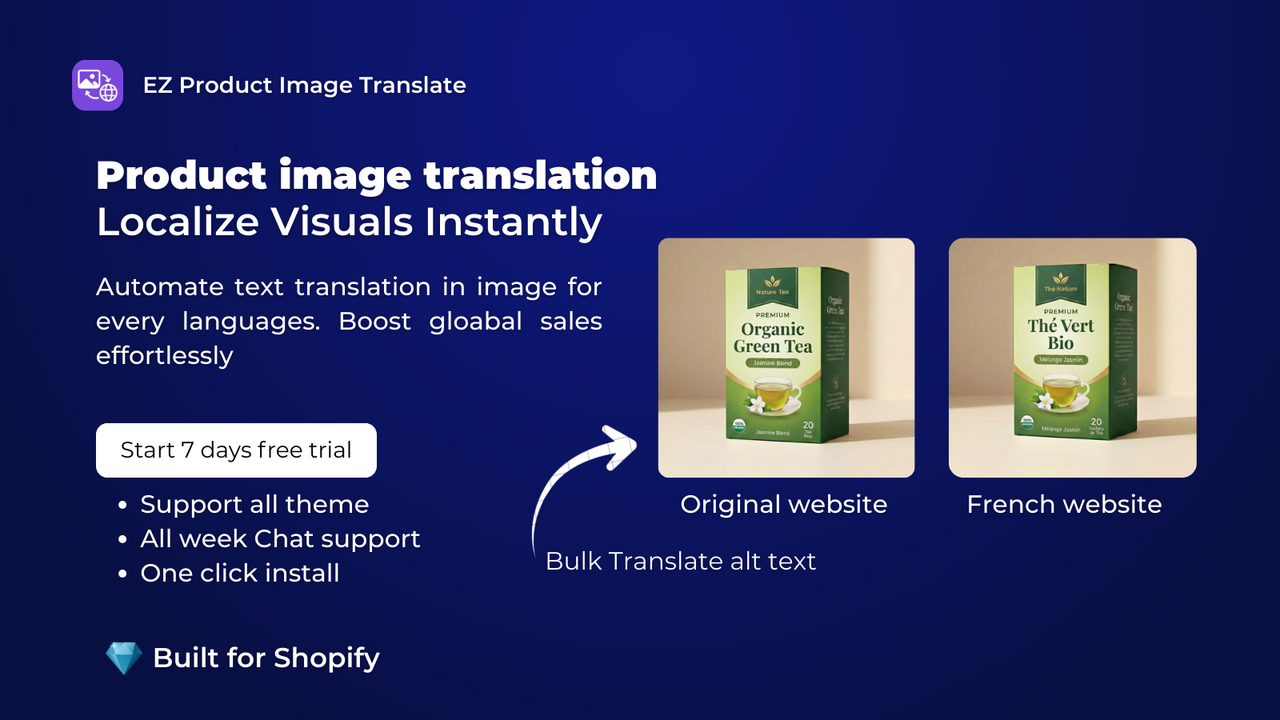
A translated product page should show visuals in the same language. Freshify lets you attach image variants to languages and keep your product catalog clean.
Problem
Freshify solution
EZ Product Image Translate detects the storefront language and displays the product image and alt text configured for that language.
Start with the highest-impact pages and build a repeatable localization system instead of fixing assets randomly.
Install the app from Shopify.
Select the product and language.
Upload the matching localized image.
Add localized alt text and preview the storefront.
No product duplication.
No custom code required.
Works for size charts, labels, product benefits, and banners.
Scales across 20+ languages.
Yes. You can assign one visual for English, another for French, and continue for other supported languages.
No. The goal is to show the right image to the right language context while keeping your product setup manageable.
No. You can also localize lifestyle photos, examples, packaging, compliance visuals, or campaign assets.
Related app pages and guides help search engines, AI bots, and shoppers understand the full Freshify product context.